
Walk onto almost any mid-sized manufacturing shop floor in India and you'll still find a familiar scene: a supervisor flipping through a paper register to check which operation a job card is on, an Excel sheet open on a desktop that's a day behind reality, and a production manager calling three different people just to find out why an order is late. This is the daily reality for manufacturers still relying on manual methods to track production, and it's also the biggest hidden cost center most companies never measure directly.
Production tracking sits at the center of shop floor operations. It determines whether a company can promise realistic delivery dates, whether material is being consumed efficiently, and whether machines and labour are actually being used the way plans assume they will be. When tracking is manual, none of these questions can be answered with confidence. This is where a manufacturing ERP changes the equation — not by adding more paperwork, but by replacing scattered records with a single, real-time system of truth.
The Real Cost of Manual Production Tracking
Manual tracking isn't just inconvenient — it actively distorts decision-making. Here's what typically goes wrong:
Paper registers create a time lag between reality and record. An operator finishes a batch at 10 AM, but the register entry, if made at all, might only be updated at the end of the shift — or the next day. By the time a manager looks at the register, it's already history, not a live picture of the floor.
Excel sheets don't talk to each other. One sheet tracks production orders, another tracks material issued, a third tracks machine downtime. Nobody has time to reconcile all three, so decisions get made on partial information. Worse, formulas break, versions get overwritten, and there's no audit trail of who changed what.
Operation-wise status becomes guesswork. In a multi-operation job — turning, milling, heat treatment, plating, inspection — knowing exactly which operation a specific work order is currently at, and how long it has been sitting there, is nearly impossible to track manually across shifts and departments.
Machine and labour utilization go unmeasured. Without transaction-level data tied to machines and operators, questions like "which machine caused this week's delay" or "which shift has the lowest first-pass yield" simply can't be answered accurately.
Delays are discovered late, not prevented early. By the time a manual system reveals that an order is behind schedule, the delivery date is often already at risk. There's no mechanism to flag a delay the moment it starts.
Material consumption and rejections aren't tied to specific orders. When actual material consumed and rejected quantities aren't captured against each production order in real time, standard costing, scrap analysis, and process improvement all suffer.
The common thread across all these problems is a lack of real-time management visibility. Decisions are being made on data that's hours or days old, in a manufacturing environment where minutes matter.
What Real-Time Production Tracking Actually Looks Like
A well-implemented production tracking software module doesn't just digitize the paper register — it restructures how production data flows through the organization. Here's how it typically works within a manufacturing ERP:
1. Production Orders as the Single Source of Truth
Every job starts as a production order in the ERP, carrying the item to be manufactured, the quantity, the routing (sequence of operations), the bill of materials, and the target completion date. Instead of a paper job card that can go missing or get illegibly filled in, the production order lives digitally and is updated by every department that touches it — planning, stores, shop floor, and quality.
2. Work-in-Progress (WIP) Visibility Across Every Stage
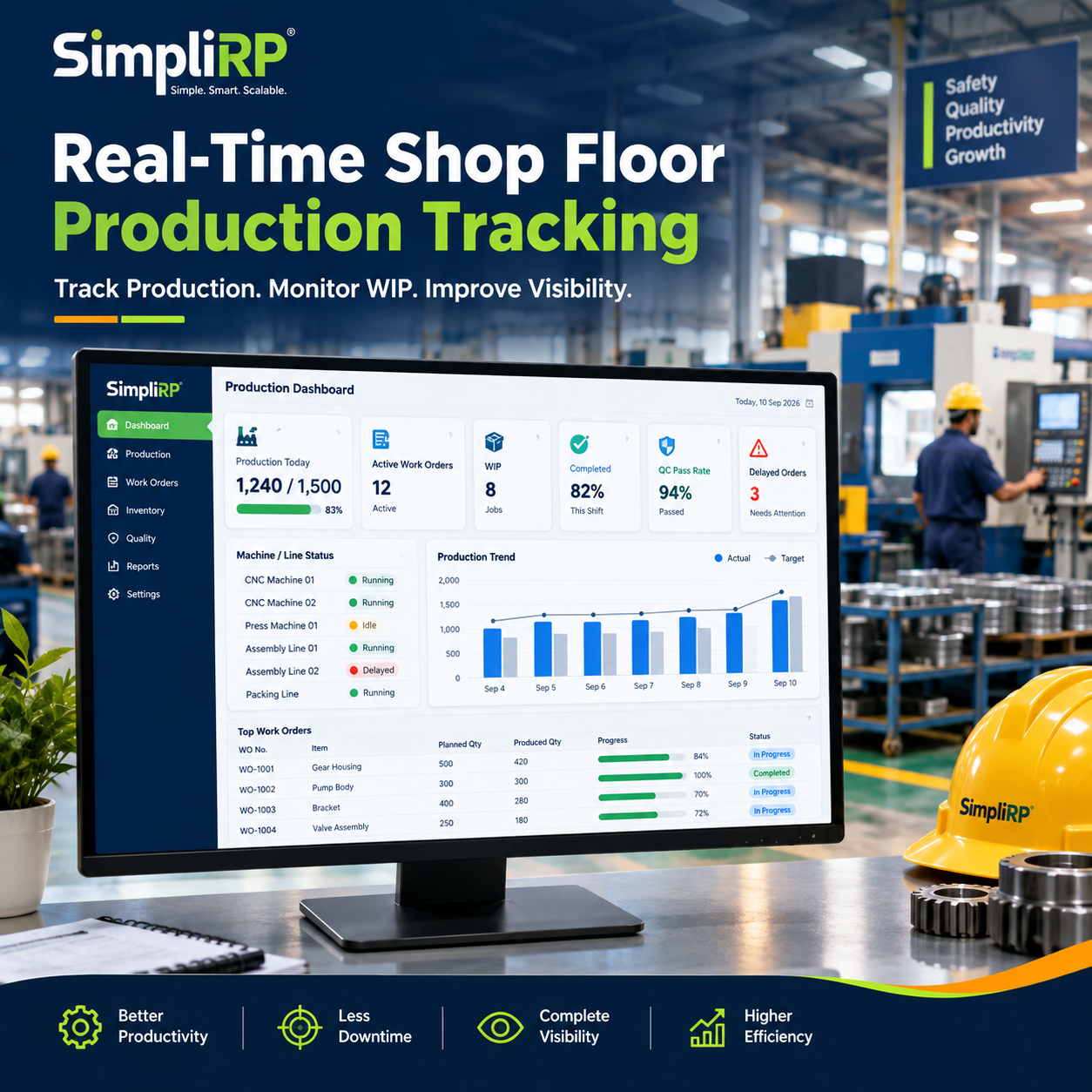
Because operators log transactions against the production order as work happens, the ERP always knows exactly how much WIP exists, at which operation, and in which department. A production manager doesn't need to physically walk the floor to know that 40 units are waiting at the milling stage while the turning stage has already cleared its queue — the system shows it instantly.
3. Operation-Wise Status Tracking
Rather than a single "in progress" status for an entire order, ERP-based tracking captures status at the operation level. This means you can see, for any given work order, which specific operation is active, which are complete, and which are pending — enabling accurate promise dates and early bottleneck detection.
4. Machine and Labour Tracking Tied to Actual Output
Every transaction recorded on the shop floor can be linked to a specific machine and operator. Over time, this generates real data on machine utilization, labour efficiency, and shift-wise output — data that's simply not available when everything is written on paper.
5. Early Warning on Production Delays
Because the ERP compares planned versus actual progress continuously, it can flag delays as they start to emerge — an operation that's taken longer than its standard time, or a work order that hasn't moved in the expected window — rather than surfacing the problem only after the delivery date has slipped.
6. Material Consumption Linked to Each Order
As material is issued and consumed against a production order, the ERP updates inventory automatically. This closes the loop between what was planned to be used (as per BOM) and what was actually consumed, making variance analysis and cost control realistic rather than aspirational.
7. Completed and Rejected Quantity Capture
Instead of a rough tally at the end of the day, completed quantity and rejected quantity are recorded transaction-by-transaction, against the specific operation and operator. This data becomes the foundation for quality trend analysis and supplier or process-level root-cause investigation.
Connecting the Shop Floor to the Rest of the Business
The real value of a shop floor management software module isn't the data capture alone — it's what happens after. A manufacturing ERP connects shop floor transactions directly to:
Inventory management — material issues and finished goods receipts update stock in real time, eliminating the reconciliation gap between physical stock and system stock.
Production planning — actual progress feeds back into the planning module, so schedules can be adjusted based on real capacity and real delays rather than assumptions.
Reporting and analytics — management dashboards pull directly from shop floor transactions, giving leadership a live view of order status, WIP, machine utilization, and rejection trends without waiting for someone to compile a report.
This connected structure is what separates genuine production management software from a simple data-entry tool. It's not about typing the same information into a computer instead of a register — it's about making that information usable across the entire business the moment it's captured.
Where the Engineering Day Book Fits In
It's worth being clear about scope here: production tracking, as described above, is the broader workflow that spans production orders, WIP, operation status, machine/labour data, and material consumption across the entire shop floor. The Engineering Day Book is one important component within this larger picture — specifically, the digital record that replaces the traditional day book manufacturers have historically used to log daily shop floor activity, job progress, and shift-wise notes.
Where the Day Book focuses on structured daily logging at the entry level, the broader ERP-driven production tracking system uses that data (along with data from planning, stores, and quality) to build the complete real-time picture — order status, delay alerts, utilization reports, and management dashboards. Think of the Engineering Day Book as a well-organized input stream feeding into the larger production tracking engine.
Why Indian Manufacturers Are Moving to ERP-Based Tracking
Manufacturing in India has historically leaned on manual and semi-digital methods because dedicated systems were seen as complex or expensive. That's changing quickly. As competition tightens and customers demand shorter, more reliable lead times, manufacturing software in India built specifically for shop floor realities — multiple operations, subcontracting, batch production, and mixed manual-machine processes — is becoming a practical necessity rather than a luxury.
An ERP for manufacturing designed with Indian shop floor workflows in mind doesn't force a factory to change how it operates. Instead, it digitizes the existing production order, routing, and job card structure that supervisors already understand, while adding the real-time visibility, delay alerts, and cross-department connectivity that manual systems can never deliver.
Conclusion
Manual production tracking — paper registers, disconnected Excel sheets, end-of-shift updates — creates a persistent gap between what's actually happening on the shop floor and what management can see. That gap costs money in the form of missed delivery dates, unmeasured machine and labour inefficiency, and material variances that go unexplained.
A manufacturing ERP closes this gap by turning every shop floor transaction — order status, operation progress, machine and labour usage, material consumption, completed and rejected quantities — into real-time, connected data. The result isn't just faster reporting; it's a shop floor that management can actually see and act on, as it happens.
Frequently Asked Questions
1. What is production tracking in manufacturing ERP? Production tracking in an ERP refers to capturing real-time data on production orders, work-in-progress, operation-wise status, machine and labour usage, and material consumption, so that management always has an accurate, current view of shop floor activity.
2. How is ERP-based tracking different from Excel-based tracking? Excel sheets are manually updated, prone to version conflicts, and don't automatically connect to inventory or planning. ERP-based tracking captures data as transactions happen and automatically updates related modules like inventory, planning, and reporting — with no manual reconciliation needed.
3. Can ERP track machine and labour utilization on the shop floor? Yes. When shop floor transactions are logged against specific machines and operators, the ERP can generate utilization, efficiency, and shift-wise performance data automatically, which is very difficult to compile accurately from manual registers.
4. How does ERP help reduce production delays? By continuously comparing planned versus actual progress at the operation level, an ERP can flag orders that are falling behind schedule early, giving managers time to react before the delivery date is affected — rather than discovering the delay after it has already happened.
5. Is production tracking software suitable for small and mid-sized manufacturers in India? Yes. Modern manufacturing software in India is built to digitize the same production order and job card workflows manufacturers already use, making adoption practical even for small and mid-sized shop floors without requiring a complete process overhaul.
6. How does the Engineering Day Book relate to overall production tracking? The Engineering Day Book is a digital replacement for daily shop floor logging — job progress, shift notes, and activity records. It feeds into the broader production tracking system, which combines this data with planning, inventory, and quality information to give a complete, real-time picture of the shop floor.
Related reading: Manufacturing ERP · Paper-to-Digital Shop Floor Documentation · Engineering Day Book
(Note: Please update the internal link URLs above to match your actual published blog paths.)
